

Your shopping cart is empty!
Add last unchecked items to cart × 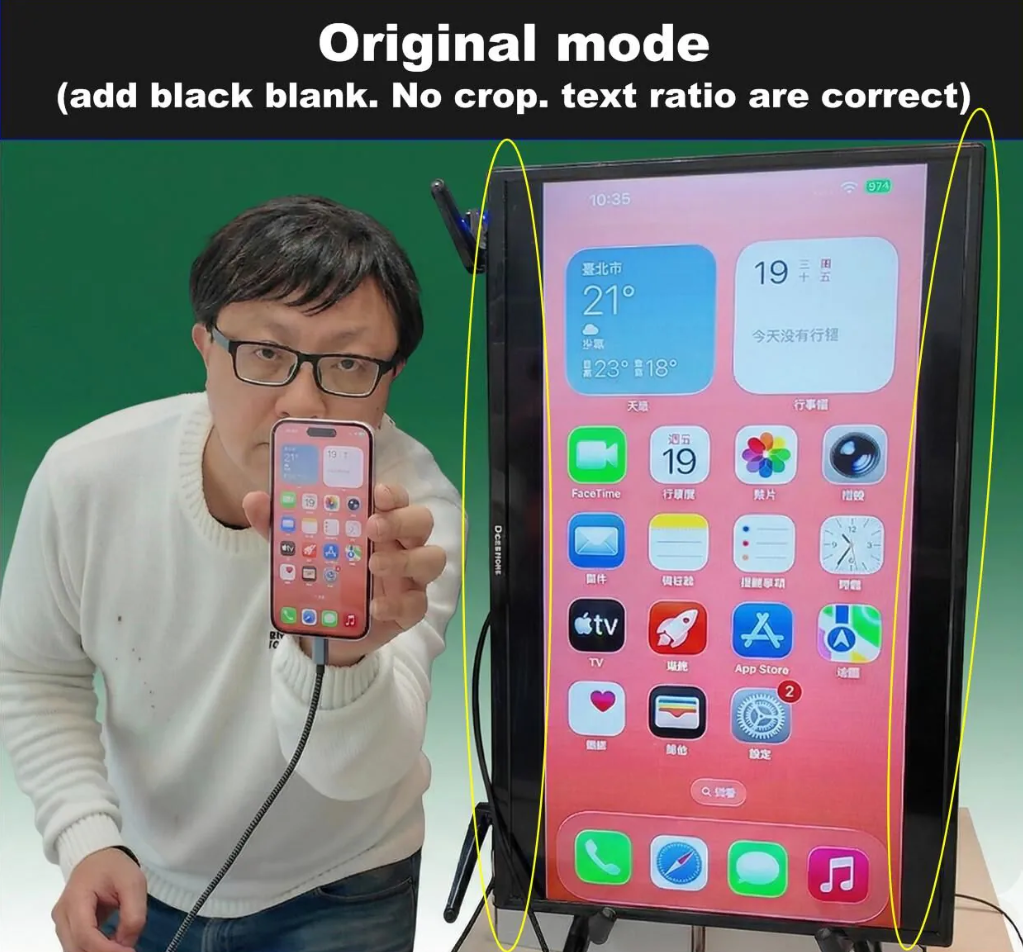
Smartphone Screen Rotation & Mirroring Adapter with Digital Zoom
smartphone Portrait mode mirror
Solve the issue of displaying non-16:9 smartphone screens on a 16:9 TV without adding black bars.
1. Wire connection :
iPhone 7 ~ USB-C iPhone15 ,iPadOS13 ~18
iOS10~iOS18
above android6.0
2. Wireless connection:
support Miracast & airplay
US$279.0
Availability: In Stock

For sales to the United States, our company will do its utmost to ensure that any duties you incur are kept as low as possible, or even zero
Final determination shall remain subject to the assessment and approval of U.S. Customs
-
According to DHL, gifts under US$100 sent between individuals are duty-free.
https://www.dhl.com/discover/zh-tw/ship-with-dhl/export-with-dhl/2025-us-regulatory-changes

Additionally, effective August 29, under U.S. CBP regulations, HS Code 8473.3091 for exports from Taiwan to the U.S. is expected to qualify for zero duty.
Based on this, our company will issue a personal individuals invoice for US$35, declared as a gift under HS Code 8473.3091 for customs duty assessment. If duties are imposed, the amount will be US$7 (US$35 × 20%). Final approval remains at the discretion of U.S. Customs.
----------------------------------------------------------------------------------------------------
Smartphone Screen Rotation & Mirroring Adapter supports both iPhone and Android,
allowing vertical (portrait) screen mirroring to a 16:9 TV or display.
It is optimized for non-16:9 smartphone aspect ratios and provides Normal, Crop, and Fill modes to ensure the best viewing experience on standard TVs.
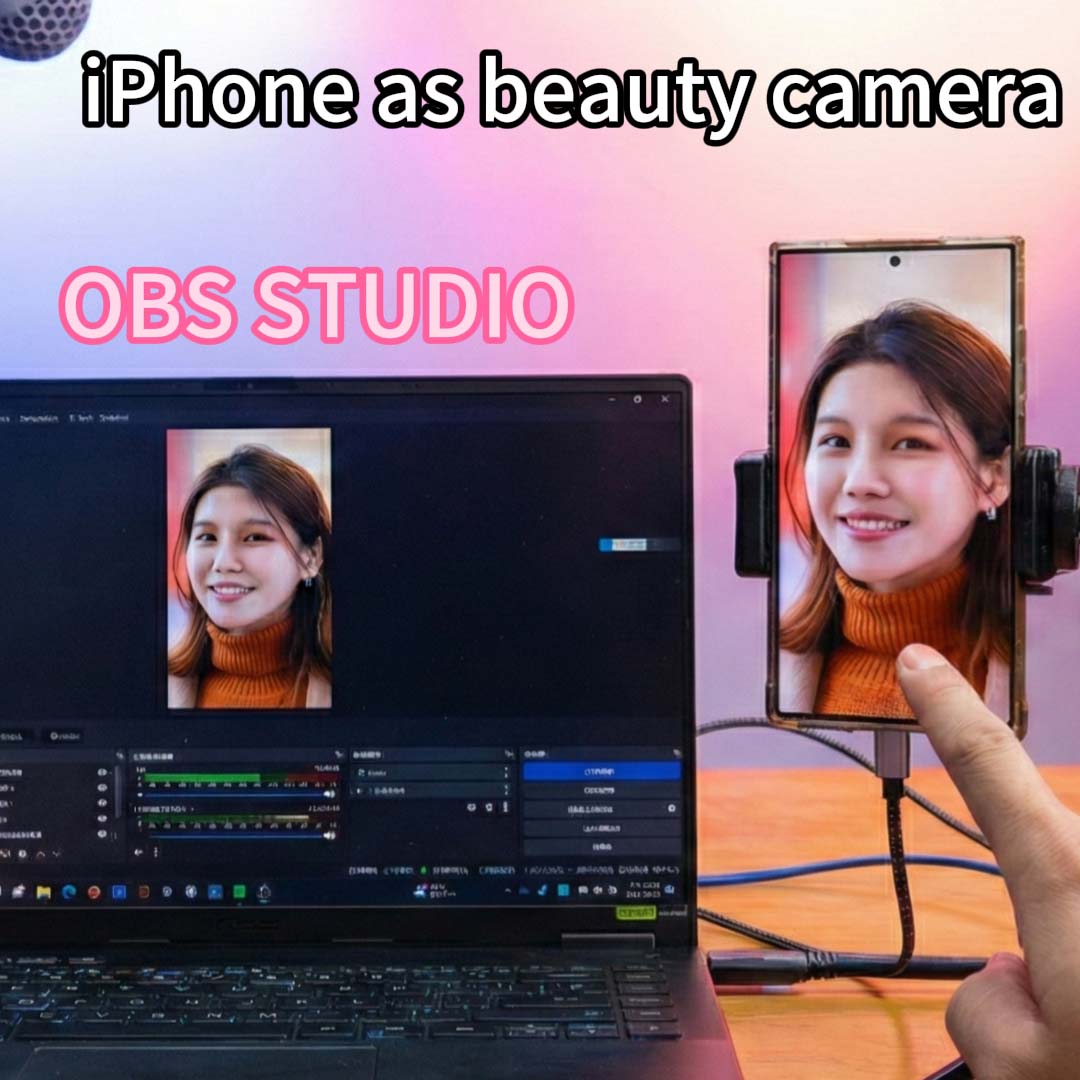
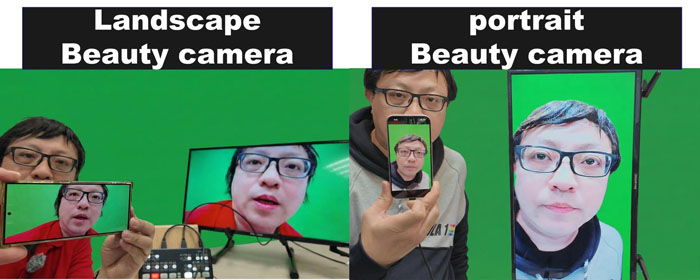
With UVC output, the adapter can connect directly to a laptop for OBS live streaming, enabling an iPhone to be used as a beauty camera for professional streaming and content creation.
For mirroring a smartphone’s vertical screen to a TV, we offer three display modes.
It uses automatic cyclic switching.
1. original mode
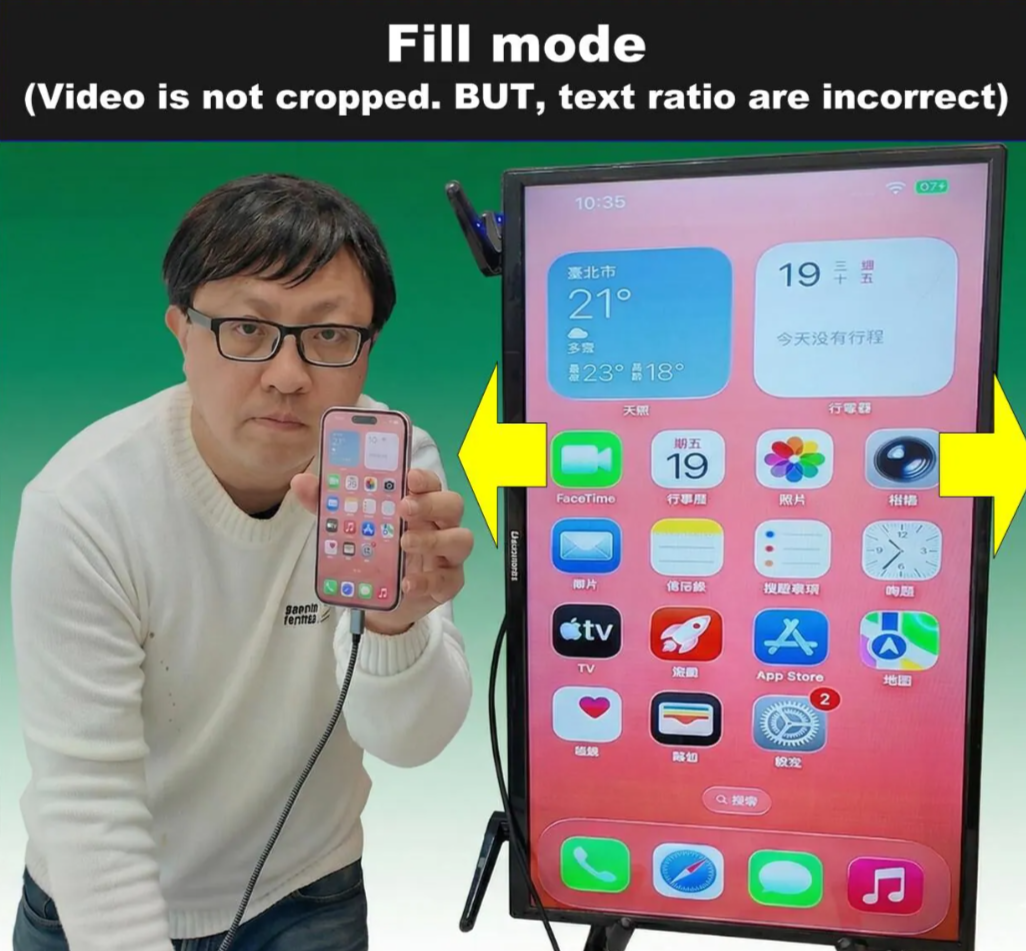
2. fill mode
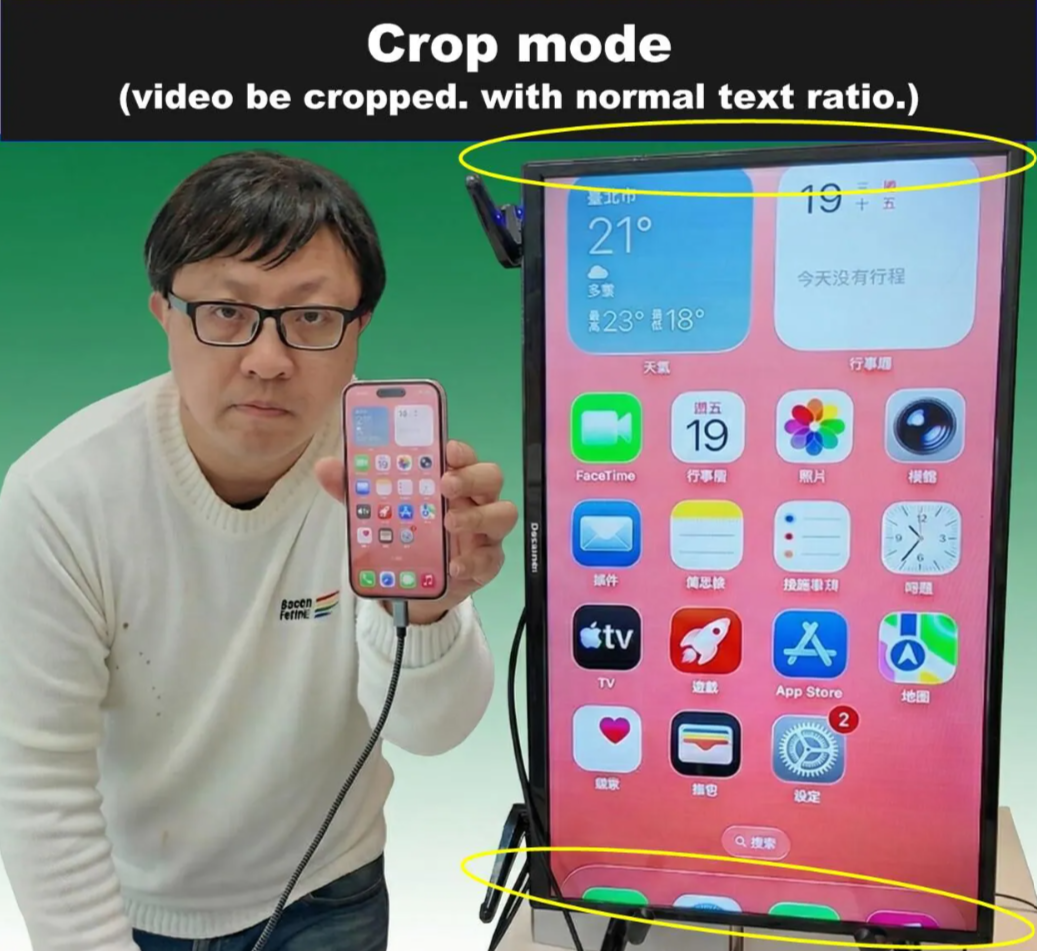
3. crop mode

Smartphone Screen Rotation & Mirroring Adapter with Digital Zoom
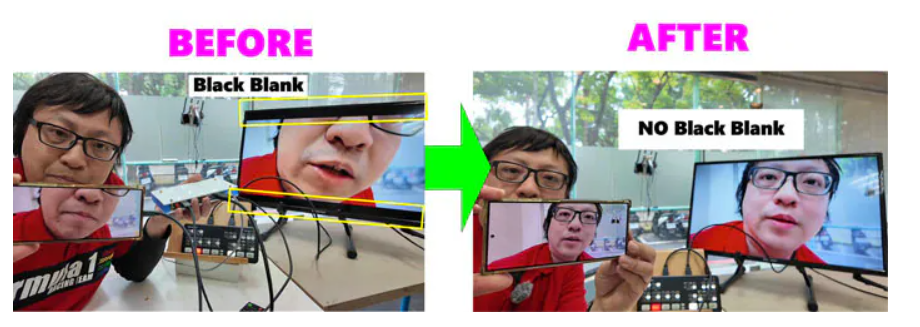
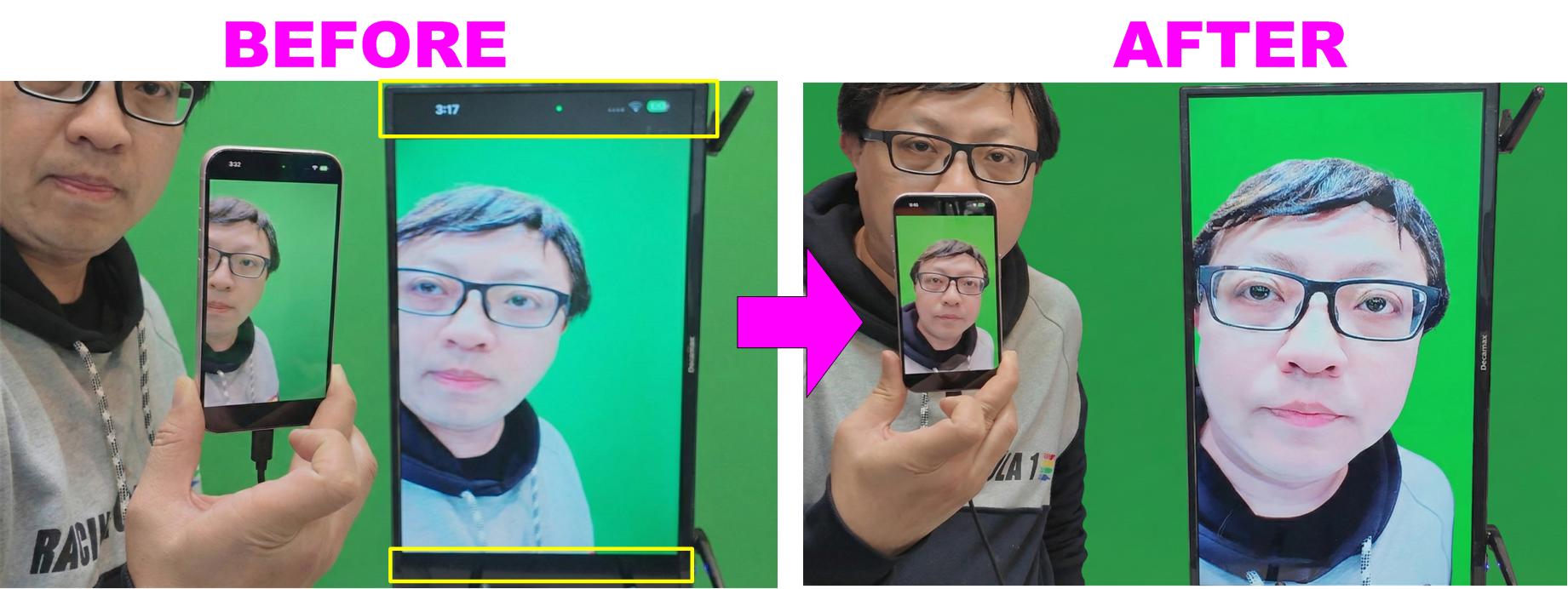
The new Smartphone Vertical Mirror with Digital Zoom Adapter is designed specifically to eliminate the slight black-bar issue on the left and right edges.
It resolves the issue of black borders caused by projecting a smartphone screen with a different aspect ratio onto a TV.
Product specication
support wire connection
iPhone 7 ~ USB-C iPhone15 ,iPadOS13 ~18
iOS10~iOS18
above android6.0
support wireless airplay & miracast (DO NOT SUPPORT chromecast)
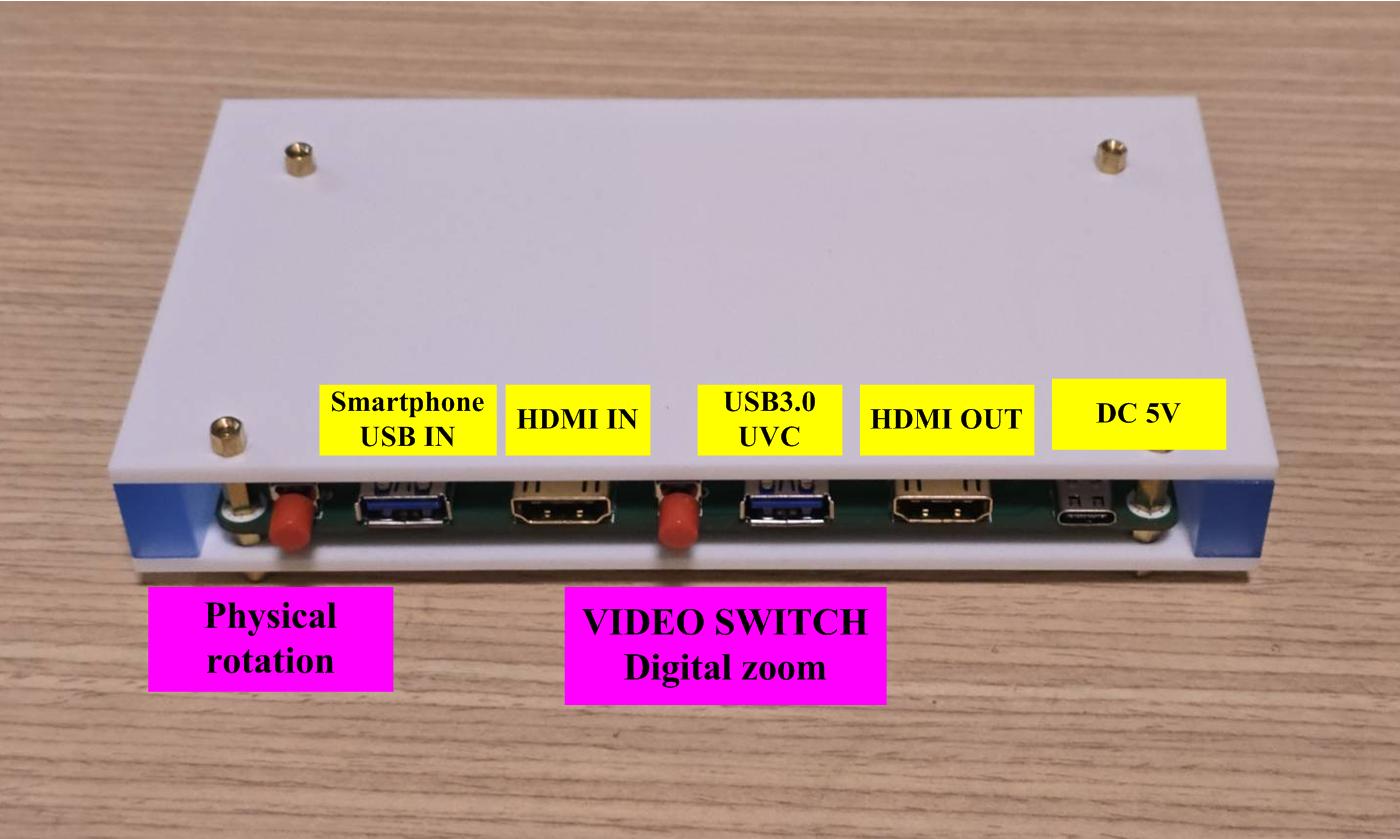
HDMI IN : up to 3840x2160
USB IN : android or iPhone / iPad
HDMI OUTPUT: default is 1920x1080. you can select it into 3840x2160
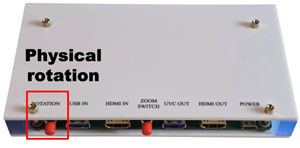
physical rotation:
When the smartphone is connected to the USB-In port, the “Video Rotation” option allows you to switch between landscape and portrait modes.
VIDEO SWITCH / digital zoom
Press and hold for more than 5 seconds, and the video source will switch to HDMI IN.
A short press will perform image correction: crop mode or fill mode
USB3.0 UVC
USB3.0 UVC is up to 3840x2160 30fps NV12
Quick Start Guide
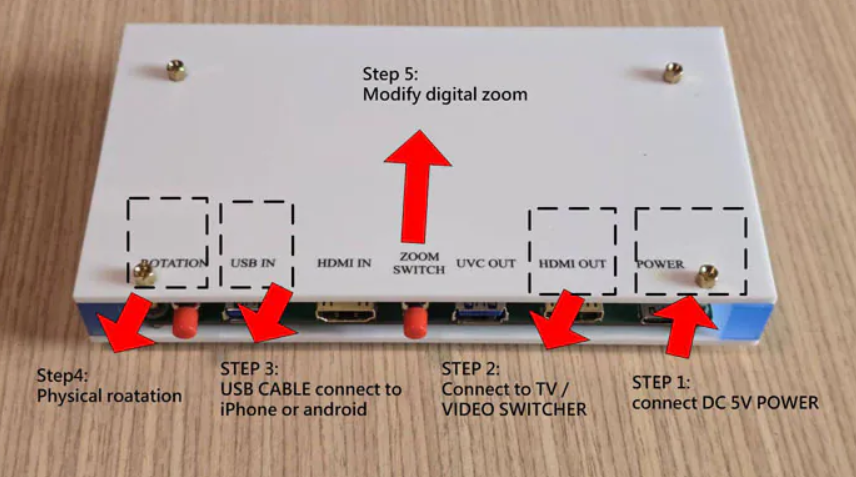
STEP1 : connect DC 5V POWER
STEP2: connect to TV or video switcher (atem mini pro)
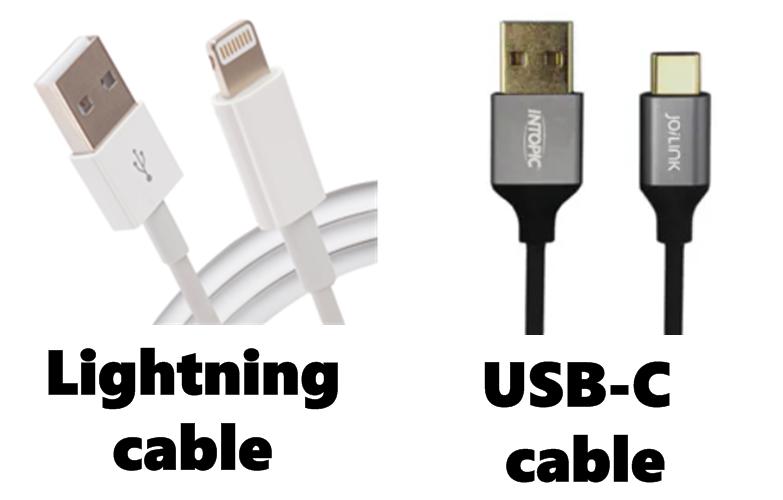
STEP3: connect USB Cable with your smartphone
STEP4:
Physical rotation:
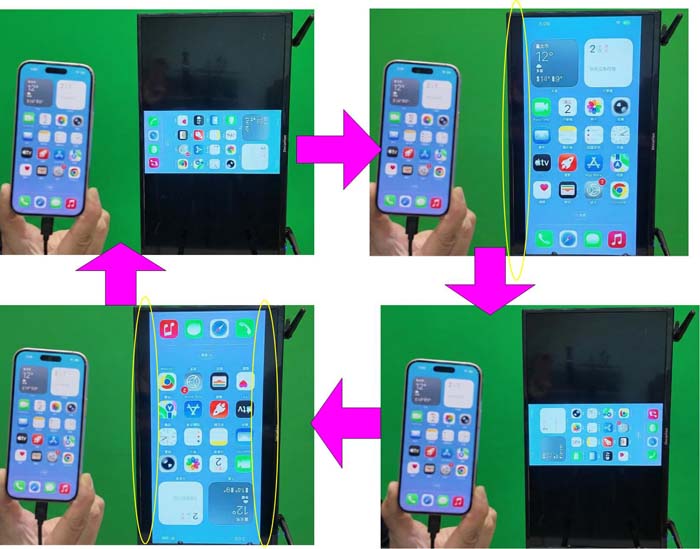
When you connect a standard phone (20:9 ratio) to a switcher, it tries to fit the whole image into a 16:9 frame, resulting in"pillar boxing" or "letter boxing". Even with older vertical adapters, you would still see slight black edges on the left and right because the phone screen is simply too long.
it will show as below
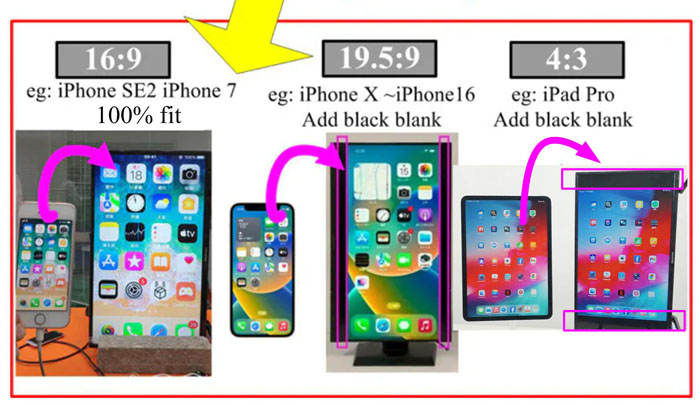
STEP5:
after touch "digital zoom icon"...
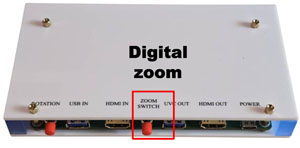
A short press will perform image correction.
Crop mode (this product can solve)
video be cropped, with normal font proportions
Fill mode (this product can solve)
VIDEO is not cropped, but the text proportions are incorrect.

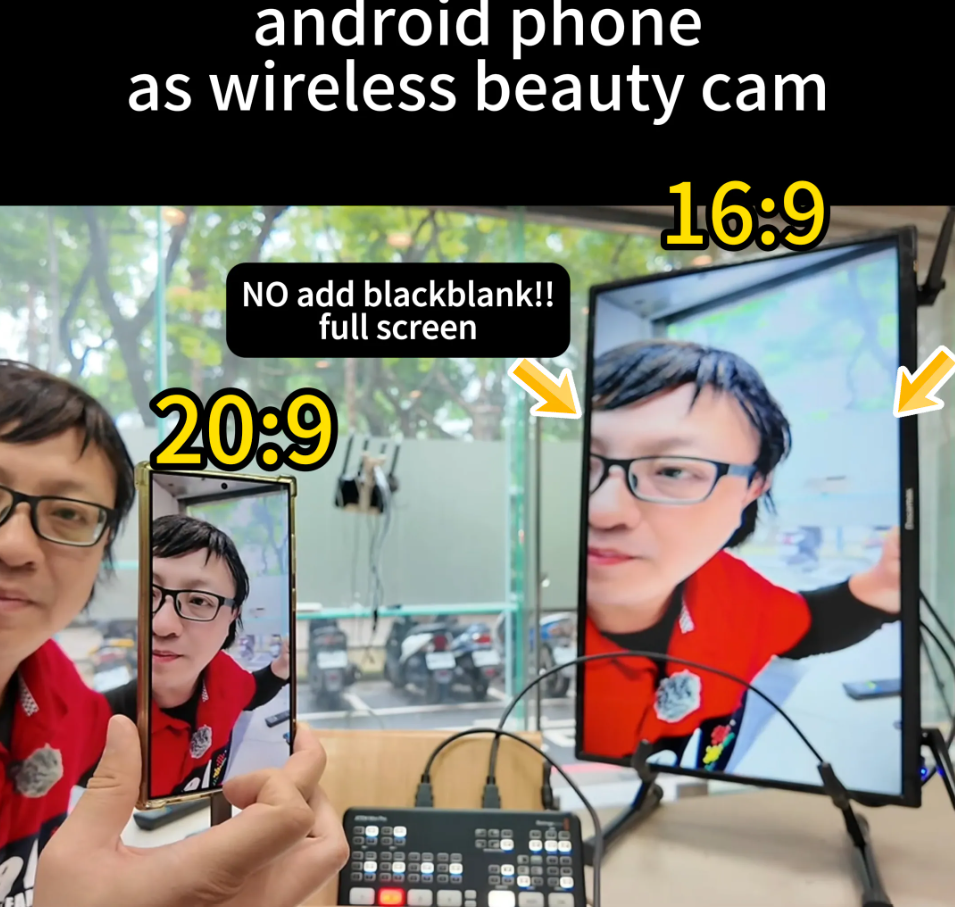
APPLICATION 1:
smartphone as beauty cam & connect to tv or video switcher atem mini pro
How can a 20:9 smartphone display be shown in full screen on tv or atem mini pro without add black blank
APPLICATION 2:
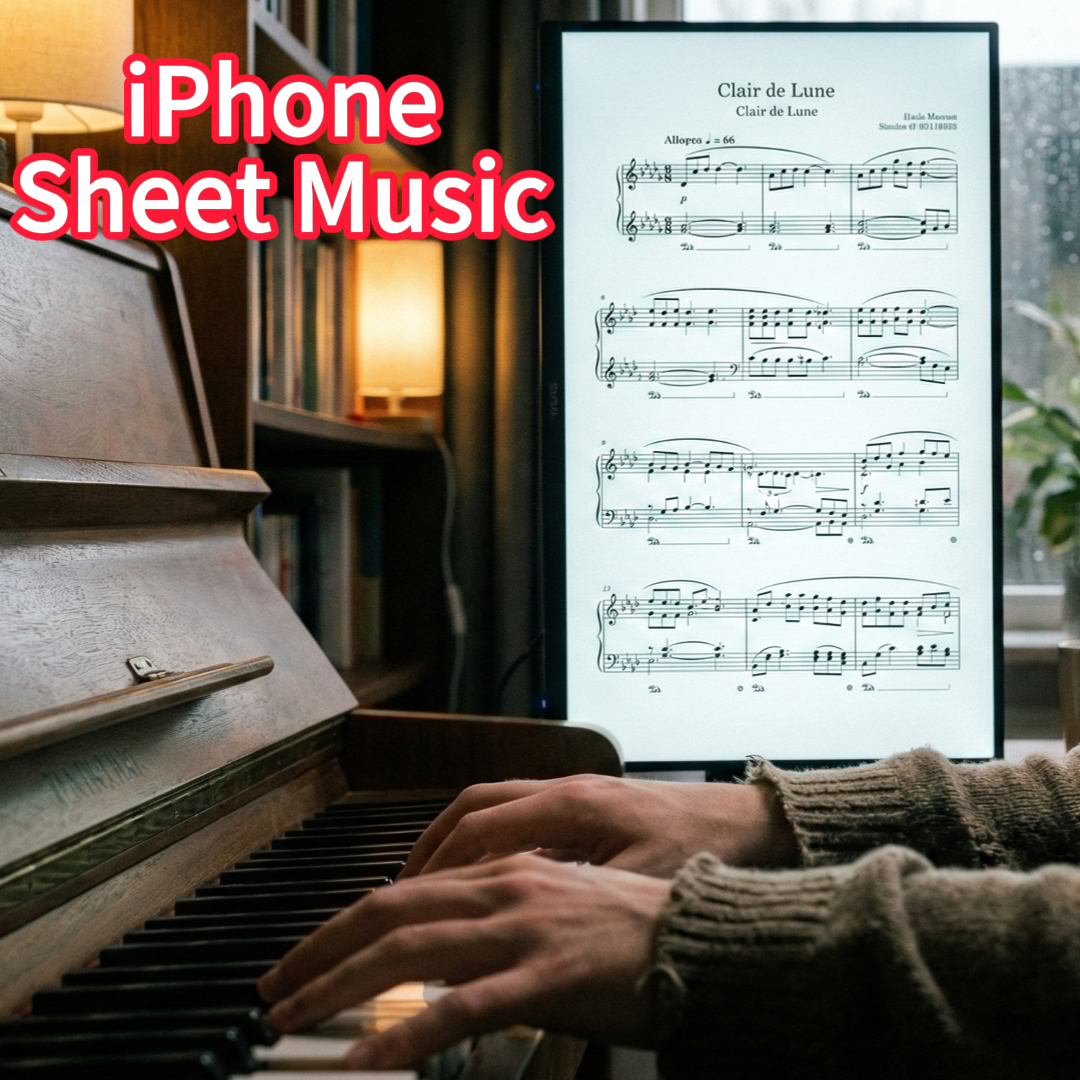
Still Reading Sheet Music on Your Phone? Vertical Is Way Better!
Playing the piano while viewing vertical sheet music from an iPhone on a TV